
GEM-WORK / Operations
Assigning/Modifying a Role and/or Access for a Human Resource
- To assign or modify the role (access) given to a human resource, from the main menu located on the left side of the application, click on Human Resources > Human Resources.
- Select the human resource, for example, Barbara Windsor.

- Click on the key icon at the bottom of the resource's profile under the Info tab.

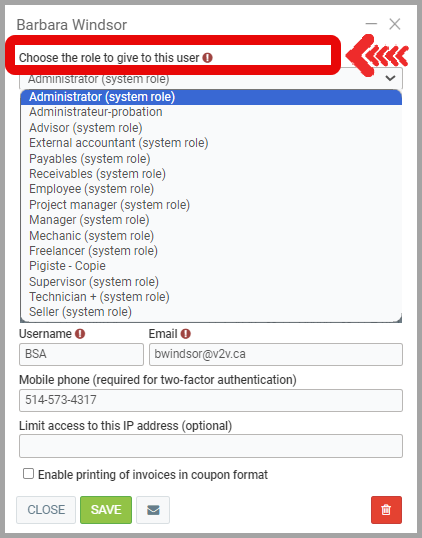
- Using the drop-down menu, select the role you want to assign to this user, for example, Administrator.
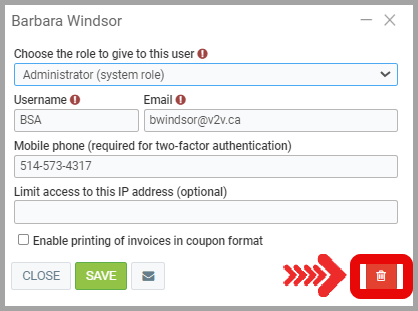
- To disable a user's access, simply click on the trash icon located at the bottom right.
Confirm by clicking Yes.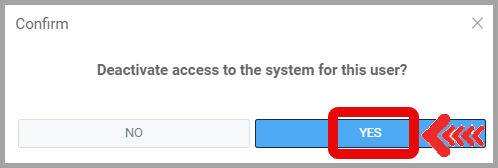
Posted
1 year
ago
by
Nadine Toutant
#1796
561 views
Edited
1 year
ago